Best AI Tools for Students in 2026
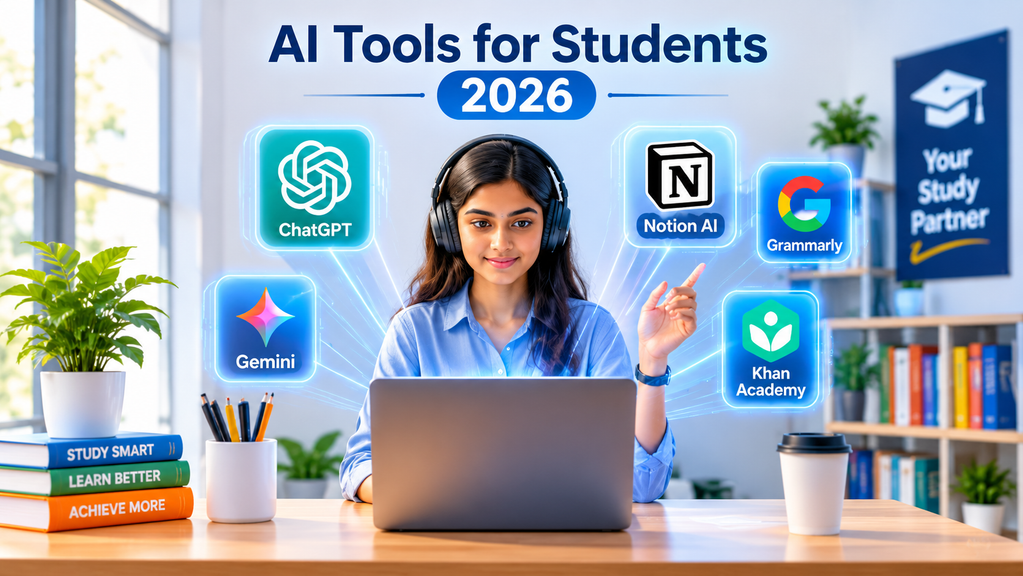
Artificial intelligence is changing the way students learn, research, write assignments, and prepare for examinations. From explaining difficult academic concepts to creating presentations and organizing research materials, AI-powered tools are becoming an important part of modern education.
In 2026, students no longer need to spend hours searching through multiple websites or manually organizing every piece of study material. With the right AI tools, they can improve productivity, understand complex subjects, develop new skills, and manage their academic responsibilities more efficiently.
However, choosing the right tools is equally important. Some AI platforms are designed for academic research, while others specialize in writing assistance, programming, note-taking, or exam preparation.
In this guide, we explore 12 of the best AI tools for students in 2026, including their key features, practical uses, and how they can support different learning needs.
Why Should Students Use AI Tools in 2026?
AI tools can support students throughout their academic journey. Whether someone is attending school, studying at university, preparing for competitive examinations, or learning new professional skills, AI can make several tasks easier.
Some important benefits include:
- Personalized learning: Understand difficult topics through simplified explanations.
- Academic research: Discover relevant information and research papers.
- Better writing: Improve grammar, sentence structure, and clarity.
- Time management: Organize assignments, deadlines, and study schedules.
- Exam preparation: Generate quizzes, flashcards, and practice questions.
- Programming support: Understand coding concepts and troubleshoot errors.
- Creative productivity: Create presentations, diagrams, and visual content.
The key is to use AI as a learning assistant rather than a replacement for independent thinking.
12 Best AI Tools for Students in 2026
1. ChatGPT – Best Overall AI Study Assistant
ChatGPT : la fonction de reconnaissance vocale devient gratuite – Les Numériques
Website: https://chatgpt.com
Best overall
Tutoring • Writing • Research • Coding
ChatGPT is one of the most versatile AI assistants available to students. It can explain complicated academic topics, generate practice questions, summarize study materials, assist with programming, and help organize assignments.
Students can also use its learning-oriented features to work through problems step by step instead of simply receiving the final answer.
Key features:
- Explains complex subjects in simple language.
- Helps create study plans and revision schedules.
- Generates quizzes and practice questions.
- Assists with coding and debugging.
- Supports brainstorming and assignment planning.
Best for: School students, university students, researchers, and independent learners.
2. Google Gemini – Best for Google’s Learning Ecosystem
Google Gemini: alles over de slimme chatbot van Google
Website: https://gemini.google.com
Learning • Research • Documents • Productivity
Google Gemini is a powerful AI assistant that helps students understand topics, explore ideas, analyze information, and work with different types of content.
Its integration with Google’s ecosystem makes it particularly useful for students who regularly use Google Docs, Gmail, and other Google services. Depending on account eligibility and plan, students may also have access to additional AI learning features.
Key features:
- Explains academic concepts.
- Helps with research and brainstorming.
- Supports image and document analysis.
- Assists with writing and summarization.
- Works alongside Google’s productivity ecosystem.
Best for: Students who use Google Workspace and want an AI-powered learning assistant.
3. NotebookLM – Best for Research and Study Notes
NotebookLM 無料の SVG、PNG、ベクターをダウンロード · LobeHub
Website: https://notebooklm.google.com
Best for study materials
PDFs • Notes • Research • Summaries
NotebookLM is particularly useful for students who work with large amounts of study material. It allows users to add documents, PDFs, websites, and other sources and then ask questions based on those materials.
Instead of repeatedly reading lengthy documents, students can use NotebookLM to identify important information, create study guides, and review complicated subjects.
Key features:
- Summarizes uploaded academic documents.
- Answers questions using provided sources.
- Generates study guides and quizzes.
- Creates flashcards and mind maps.
- Produces audio overviews of study materials.
Best for: University students, thesis writers, and academic researchers.
4. Claude – Best for Writing and Critical Thinking
Website: https://claude.ai
Essay writing • Analysis • Reading • Reasoning
Claude is an AI assistant developed by Anthropic. It is useful for students who need help understanding lengthy academic materials, analyzing arguments, improving written work, and organizing complex ideas.
It can provide feedback on essay structure, explain difficult readings, and help students examine different perspectives on a subject.
Key features:
- Reviews and improves written drafts.
- Analyzes lengthy documents.
- Explains complex arguments.
- Helps organize research ideas.
- Supports problem-solving and critical thinking.
Best for: Students working on essays, reports, presentations, and research projects.
5. Perplexity AI – Best for Online Research
Perplexity – Conversation Intelligence and Workflow Automation App for HubSpot | Perplexity AI
Website: https://www.perplexity.ai
Web research • Sources • Current information
Perplexity AI works as an AI-powered search and research assistant. It helps students explore topics, discover relevant websites, and find supporting information with linked sources.
For students preparing research assignments, it can provide a useful starting point for discovering information and identifying relevant references.
Key features:
- AI-generated answers with source links.
- Research topic exploration.
- Summaries of online information.
- Follow-up questions for deeper research.
- Assistance with discovering relevant sources.
Best for: Students conducting online research and exploring unfamiliar topics.
6. Grammarly – Best for Grammar and Writing Improvement
Grammarly Desktop Corrects Me Everywhere I Type – Podfeet Podcasts
Website: https://www.grammarly.com
Grammar • Spelling • Clarity • Editing
Good writing is essential for academic success. Grammarly helps students improve their written communication by identifying grammatical mistakes, spelling errors, and unclear sentences.
It can also provide suggestions to improve tone, readability, and sentence structure.
Key features:
- Grammar and spelling correction.
- Sentence clarity suggestions.
- Writing tone assistance.
- Proofreading support.
- AI-powered writing assistance.
Best for: Students writing assignments, academic reports, emails, and applications.
7. QuillBot – Best for Paraphrasing and Summarization
Website: https://quillbot.com
Paraphrasing • Summarization • Editing
QuillBot is a popular writing assistant that helps students rewrite sentences, summarize lengthy passages, and improve the clarity of their writing.
It can be useful when students want to make their notes easier to understand or improve the readability of a draft.
Key features:
- Paraphrasing assistance.
- Text summarization.
- Grammar checking.
- Vocabulary suggestions.
- Citation-related writing features.
Best for: Students who want to improve their writing and organize academic notes.
8. Elicit – Best for Academic Research Papers
Elicit: How To Use It To Teach | Tech & Learning
Website: https://elicit.com
Research papers • Literature reviews • Evidence
Elicit is designed to support academic research. It helps researchers discover relevant research papers, extract information, and organize findings from scientific literature.
For postgraduate students and researchers, it can reduce the time required to explore large collections of academic publications.
Key features:
- Discover relevant research papers.
- Summarize academic studies.
- Extract information from papers.
- Organize literature review findings.
- Compare research evidence.
Best for: Master’s students, PhD candidates, and academic researchers.
9. Canva – Best for Presentations and Design
Portifolio Keven Eduard Candatten Borchardt
Website: https://www.canva.com
Presentations • Posters • Infographics • Design
Canva is a visual design platform with AI-powered features that help students create professional-looking presentations, posters, infographics, and other academic materials.
Students can use its templates and design tools to transform ideas into attractive visual content without requiring advanced graphic design skills.
Key features:
- Presentation creation.
- AI-assisted design and content generation.
- Infographic and poster templates.
- Image editing.
- Educational visual materials.
Best for: Students preparing class presentations, academic posters, and project demonstrations.
10. Quizlet – Best for Exam Preparation
Quizlet: AI-powered flashcards App – App Store
Website: https://quizlet.com
Flashcards • Practice tests • Memorization
Quizlet helps students prepare for examinations using digital flashcards, practice questions, and interactive study activities.
It is especially useful for subjects that require memorizing definitions, formulas, vocabulary, and important concepts.
Key features:
- Digital flashcards.
- Practice tests and quizzes.
- Vocabulary learning.
- Interactive study activities.
- AI-supported study features.
Best for: School students, language learners, and university examination preparation.
11. GitHub Copilot – Best for Programming Students
GitHub Copilot Icon & Logo (selfh.st) | Dashboard Icons & Logos
Website: https://github.com/features/copilot
Programming • Debugging • Code assistance
GitHub Copilot is an AI-powered coding assistant that helps students write, understand, and improve code. It can provide code suggestions, explain programming concepts, and help identify potential errors.
For students studying computer science, software engineering, and related subjects, it can be a useful development companion.
Key features:
- AI-assisted code completion.
- Programming suggestions.
- Code explanations.
- Debugging assistance.
- Support for different programming languages.
Best for: Computer science students, software developers, and programming beginners.
12. Wolfram Alpha – Best for Mathematics and Science
Website: https://www.wolframalpha.com
Mathematics • Physics • Calculations • Science
Wolfram Alpha is a computational knowledge platform that helps students solve mathematical problems, perform calculations, and explore scientific concepts.
It is particularly useful for students studying mathematics, engineering, physics, and other technical subjects.
Key features:
- Mathematical calculations.
- Algebra and calculus support.
- Scientific problem-solving.
- Statistical calculations.
- Mathematical visualization.
Best for: Mathematics, engineering, physics, and science students.
Quick Comparison: Best AI Tools for Students
| AI Tool | Best Use | Free access |
|---|---|---|
| ChatGPT | General learning | Yes, limited |
| Google Gemini | Learning and productivity | Yes, limited |
| NotebookLM | Research and notes | Yes, limits apply |
| Claude | Writing and analysis | Yes, limited |
| Perplexity | Online research | Yes, limited |
| Grammarly | Grammar and editing | Yes, limited |
| QuillBot | Paraphrasing | Yes, limited |
| Elicit | Academic research | Yes, limited |
| Canva | Presentations and design | Yes, limited |
| Quizlet | Exam preparation | Yes, limited |
| GitHub Copilot | Programming | Free options and student eligibility |
| Wolfram Alpha | Mathematics | Yes, limited |
Note: Free access, usage limits, premium features, and student eligibility vary by provider and may change. Check official websites before subscribing.
Which AI Tool Should Students Choose?
The best AI tool depends on what a student wants to achieve. Using multiple specialized tools can often be more effective than depending on a single platform.
| Student requirement | Recommended tool |
|---|---|
| Everyday study assistance | ChatGPT |
| Learning with Google services | Gemini |
| Studying lecture notes and PDFs | NotebookLM |
| Writing academic essays | Claude |
| Finding online information | Perplexity |
| Improving English writing | Grammarly |
| Preparing literature reviews | Elicit |
| Creating presentations | Canva |
| Preparing for examinations | Quizlet |
| Learning programming | GitHub Copilot |
| Solving mathematical problems | Wolfram Alpha |
Are AI Tools Free for Students?
Many AI platforms offer free versions, allowing students to explore their features without immediately purchasing a subscription.
However, free versions may have limitations on usage, advanced models, document uploads, or specialized features.
Students should consider the following before paying for an AI subscription:
- Identify which academic tasks require AI assistance.
- Explore the free version first.
- Compare available student discounts.
- Check whether their university provides institutional access.
- Subscribe only when additional features provide meaningful value.
Important: Use AI Responsibly in Education
Although AI tools offer many advantages, students should understand their limitations.
AI-generated information can sometimes be inaccurate, outdated, or misleading. Academic references and statistics should always be checked against original sources.
Students should also follow their university’s academic integrity policies.
Here are some important practices:
- Do not submit AI-generated assignments as your own work when prohibited.
- Verify information using textbooks, academic journals, and reliable sources.
- Use AI to understand concepts rather than simply copy answers.
- Protect personal information and confidential academic documents.
- Disclose AI assistance when required by your institution.
The ultimate objective should be to improve knowledge, creativity, and independent thinking.
Frequently Asked Questions (FAQs)
1. What is the best AI tool for students in 2026?
ChatGPT is a strong all-purpose choice for students because it supports tutoring, writing assistance, coding, research planning, and exam preparation. However, NotebookLM is particularly useful for studying personal notes and documents.
2. Which AI tool is best for university students?
University students can benefit from ChatGPT, NotebookLM, Perplexity, Claude, and Elicit. These tools support research, academic writing, document analysis, and understanding complex subjects.
3. Which AI tools are free for students?
ChatGPT, Google Gemini, NotebookLM, Perplexity, Grammarly, Canva, and several other platforms offer free access with varying limitations.
4. Can AI tools help students prepare for exams?
Yes. Students can use ChatGPT to generate practice questions, NotebookLM to summarize lecture materials, and Quizlet to create flashcards and practice tests.
5. Is using AI for university assignments considered cheating?
Not necessarily. It depends on the university’s academic policies and the instructor’s requirements. AI may be permitted for brainstorming, research assistance, and proofreading, but submitting AI-generated work without permission or acknowledgment may violate academic integrity rules.
6. Can AI replace teachers or traditional studying?
No. AI can support personalized learning, explain difficult topics, and provide additional practice. However, teachers, textbooks, practical experience, and independent study remain essential.
Final Thoughts
Artificial intelligence is becoming an important part of modern education. The best AI tools for students in 2026 can make studying more organized, improve research efficiency, support creative projects, and help learners develop valuable technical skills.
Students do not need to use every AI platform available. Instead, they should select tools according to their academic requirements.
For everyday learning, ChatGPT and Gemini are excellent starting points. For research and document analysis, NotebookLM and Perplexity are useful options. Meanwhile, Grammarly, Canva, Quizlet, and GitHub Copilot can support specific academic and professional tasks.
Ultimately, AI should make students better learners, not replace the learning process itself.
Stay informed about the latest AI developments, digital innovations, and technology trends with UpdatedBulletins.com.